


P3P went broke after firmware update

Joined
Oct 22, 2023
Messages
3
Reaction score
0
Age
27
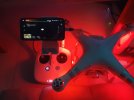
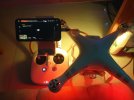
Hello, I have the problem after not using for a while (6,7 months), my P3P can't live image on DJI GO app, can't read SD card

I usually maintain my P3P every year, take her out and give her a few ride but this year when I turn on my P3P DJI GO app on my Iphone, it shows blackscreen with dji logo, gimbal disconnected, compass error (I live in a metal box), when I try to fly with attitude mode, It takes off normally but still no image. The most curious part is It does not state "No image transmission".
I tried to replace cable, downgrade RC to 1.9.2 then 1.8.0 but no luck, tried to reinstall AC firmware ver 11.20.00 but after I plug the SD card in, AC does not do anything but continue to flash error-ly
Removing the SD card doesn't work, the AC have two flashing state: red and yellow in succession; green, red, yellow but faster in this state.
Method tried:
- Replace cable
- Downgrade RC
- Fully charge batterty RC,AC
- Switch to Android
- No image take off (Attitude flight mode)

Please help me I need to finish this year maintenance

Firmware
App: 3.1.68
AC: 11.20.00
RC: 1.9.3
 

Attachments

  • 3b7fa455426b9535cc7a.jpg
    3b7fa455426b9535cc7a.jpg
    603.4 KB · Views: 320
  • 5ebacc902aaefdf0a4bf.jpg
    5ebacc902aaefdf0a4bf.jpg
    732.6 KB · Views: 322
Gee keiga591 sounds like a problem that some of the four big guns will help you with. In the meantime, when I had a no picture issue it was resolved by turning drone off, removing the sd card, turning the P3P on. If an image is transmitted turn off, insert card, power up and good to go. It is a long shot but simple...if it works.
 
  • Like
Reactions: chipwich
Hello, I have the problem after not using for a while (6,7 months), my P3P can't live image on DJI GO app, can't read SD card

I usually maintain my P3P every year, take her out and give her a few ride but this year when I turn on my P3P DJI GO app on my Iphone, it shows blackscreen with dji logo, gimbal disconnected, compass error (I live in a metal box), when I try to fly with attitude mode, It takes off normally but still no image. The most curious part is It does not state "No image transmission".
I tried to replace cable, downgrade RC to 1.9.2 then 1.8.0 but no luck, tried to reinstall AC firmware ver 11.20.00 but after I plug the SD card in, AC does not do anything but continue to flash error-ly
Removing the SD card doesn't work, the AC have two flashing state: red and yellow in succession; green, red, yellow but faster in this state.
Method tried:
- Replace cable
- Downgrade RC
- Fully charge batterty RC,AC
- Switch to Android
- No image take off (Attitude flight mode)

Please help me I need to finish this year maintenance

Firmware
App: 3.1.68
AC: 11.20.00
RC: 1.9.3
Did you ever fix? I know it has been years but this is the state mine is in..
 
I have the exact same problem. Did you ever get it fixed? Any help would be greatly appreciated as it is worthless right now.
 
  • Like
Reactions: RodPad
Okay so I'm an idiot. I downloaded the files and can't find any instructions. Am I supposed to load it on a flash drive and put it in the remote and on to a SD and put it in the drone?
 
  • Like
Reactions: RodPad
SD-card. File system must be FAT, possibly only FAT32 works, can't remember. BIN file must be in root folder. The drone recognizes it by file name - so needs original name, no renaming. Example: `P3X_FW_V01.07.0060.bin`. If update starts, do NOT try to stop it, wait until either success or fail is reported (unless no change for an hour, then it clearly won't progress further anyway).
 
  • Like
Reactions: RodPad
Thank you. I’ll try that. After the drone is done do I update the controller threw the drone?
Note that the idea is not to update the drone, but to force it to query modules and write results to a log. The safe option is to make it in a way which will not update.

But if you're going to update firmware (which is not recommended by anyone except DJI employees), you do need to have RC firmware from circa the same time period. The same time period does not mean the same version number.
 
It writes the reports logs. Says update failed. The aircraft is 1.11.20 and the remote is 1.9.3. The motors won’t start. It says home is updated and is correct on the map. I have no video feed on the remote and it won’t fly at all.
 
  • Like
Reactions: RodPad

Members online

No members online now.

Forum statistics

Threads
143,857
Messages
1,473,703
Members
105,946
Latest member
rheckbert3


