What should someone new learn?

Joined
Aug 1, 2025
Messages
4
Reaction score
12
Age
31
Hi there!

Bought a second hand P3 Advance as it was really all I could afford and have wanted to try drones forever.
It came with 2 aftermarket batteries (although one doesn't work due to signal error) and 3 stock battery
that appear to be dead.

I've been reading and watching videos trying to get familiar with everything.

The question I would like to ask is, is there anything regards parts, firmwares, software, mods/fixes that I should learn about?
I'm thinking things that many people likely use but someone like myself may not know until they stumble upon.

For reference, excluding ordering some replacement parts I've also discovered and am trying to understand

-Litchi
-Panel antenna upgrade
-Reviving dead batteries + 2 battery mods
-Strong arms / reinforcement plates
-I seen something online about a "magic range unlock" code update or something, seems suspicious but haven't looked further yet.

Any help and guidance is greatly appreciated!

Thank you

Update i just found and read oso’s beginner guide, so helpful.
 
Last edited:
Welcome to the Forum.

First of all, do NOT attempt to update the firmware. Many times it will cause more harm than good.
Plus, be advised, DJI no longer supports the Phantom 3 Advanced, so NO repair services are available through DJI.
I know you are excited to get up and flying, but I caution you to go slow. Try to learn all the basics before trying to fly.

I urge you to check out DJI Phantom Accessories & Tips | Phantom Help There you can select the Phantom3 Advanced from the dropdown menu. It contains boatloads of information on everything Phantom......

......including the Phantom3 Advanced MANUAL, which is free to download.

There you can learn what it takes to fly your new drone safely.

One additional tip: If you do any bench testing, (inside the house, etc), do it with the props OFF the drone.

Again, welcome to the PhantomPilots Forum.
 
Welcome to the Forum.

First of all, do NOT attempt to update the firmware. Many times it will cause more harm than good.
Plus, be advised, DJI no longer supports the Phantom 3 Advanced, so NO repair services are available through DJI.
I know you are excited to get up and flying, but I caution you to go slow. Try to learn all the basics before trying to fly.

I urge you to check out DJI Phantom Accessories & Tips | Phantom Help There you can select the Phantom3 Advanced from the dropdown menu. It contains boatloads of information on everything Phantom......

......including the Phantom3 Advanced MANUAL, which is free to download.

There you can learn what it takes to fly your new drone safely.

One additional tip: If you do any bench testing, (inside the house, etc), do it with the props OFF the drone.

Again, welcome to the PhantomPilots Forum.

Thank you, yes I'm aware it is discontinued and have put together an order of a few different parts from aliexpress for future failures.

I've seen the update advice several times now and will not update but can you explain why updates tend to cause trouble? Is it because DJI is forced to add more regulatory restriction or is it more to do software bugs / incompatibilities?

Thanks!
 
Is it because DJI is forced to add more regulatory restriction or is it more to do software bugs / incompatibilities?

You pretty much said it right there..⬆️

If the drone flies ok without the update, don't update. I'm sure other members will chime in and offer their advice on updates also. Many have had nightmare experiences with an update gone wrong.
 
1. Litchi/ Not to be concerned until you have a better understanding of the aircraft and the system involved.
2. Panel antenna/ Not necessary while learning the ropes.
3. Strong arms/ Probably anything you add to this aircraft will only impede its performance. If it hits the ground, you will just be up for a repair project.
4. Range unlock/ The aircraft you are working with wasn’t designed for long range.

@captainmilehigh is very knowledgeable regarding the Phantom series.
 
Before you fly your drone here in Canada you will need to do two things to fly your drone legally: 1) Register your drone on the Transport Canada Website and 2) Get your Pilot's License (either Basic or Advanced).

You can find all the information here.

I also highly recommend that you sign up for a NAV Canada account which allows you to check for airspace restrictions. There is also a phone app you can download which is very handy when you are out at a flying location and want to check to see if there are any restrictions in place.

Good luck with your new drone.

Chris
 
@zurukea,
Welcome to the forum!

A shorter shortcut :rolleyes:.

Did anybody mention, leave the firmware as is, until one of us members say it is OK. :)👌

Rod ..
 
Thanks everyone for the advice.

Unfortunately a couple days after making this post a wildfire ravaged my local area
Google "Newfoundland Kingston Wildfire"

I still have to get my license but regardless I won't be doing any flying any time soon.

I know of two people in my community who fly drone so there will be some crazy footage when the dust clears (figuratively and literally)
 
Thanks everyone for the advice.

Unfortunately a couple days after making this post a wildfire ravaged my local area
Google "Newfoundland Kingston Wildfire"

I still have to get my license but regardless I won't be doing any flying any time soon.

I know of two people in my community who fly drone so there will be some crazy footage when the dust clears (figuratively and literally)
We here at PhantomPilots wish you and yours a quick recovery from these wildfires.

Above all, stay safe. You and your family are in our thoughts and prayers.
 
  • Like
Reactions: Oso and RodPad
Fires around here also.
Recently I came across this, which works in the states, the link should work on a PC, without installing the app.

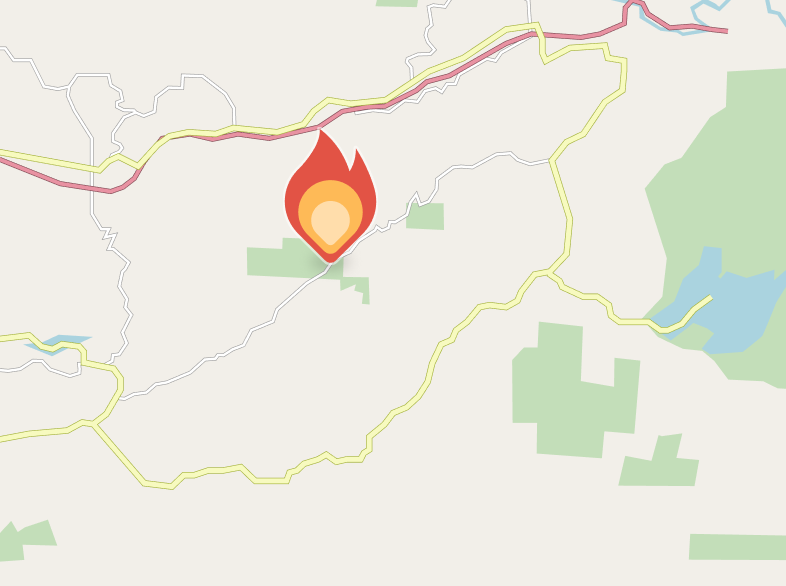
This is the closes fire to me at the moment.

Rod ..
 
  • Like
Reactions: scbenoit
Fires around here also.
Recently I came across this, which works in the states, the link should work on a PC, without installing the app.

This is the closes fire to me at the moment.

Rod ..
For the Canadians here, I found this interactive map of current fires . Remember to stay away from the forest fires to allow crews to do their work more safely.

 
  • Like
Reactions: RodPad

Members online

No members online now.

Forum statistics

Threads
143,857
Messages
1,473,704
Members
105,946
Latest member
rheckbert3