Phantom 3 Standard Factory reset for new user???

Joined
Dec 27, 2025
Messages
7
Reaction score
12
Age
59
Hi, I have my Phantom 3 that will going to a new home and not sure since it so old, if there is a "factory default" setting, so the new user won't have any issues, and can log in with their credentials. Or, since they will be using an IPAD or smartphone on the DJI app, maybe there is no need to "erase" my credentials, not sure.
I tried going to the DJI support page, only to discover that is not available anymore for the P3.
Thanks for any guidance.

ps New member, love all the great stuff here!!
 
Hi, I have my Phantom 3 that will going to a new home and not sure since it so old, if there is a "factory default" setting, so the new user won't have any issues, and can log in with their credentials. Or, since they will be using an IPAD or smartphone on the DJI app, maybe there is no need to "erase" my credentials, not sure.
I tried going to the DJI support page, only to discover that is not available anymore for the P3.
Thanks for any guidance.

ps New member, love all the great stuff here!!
Hi, @srodster, welcome to the forum!
  1. Connect to the App: Ensure your Phantom 3 is powered on and connected to your mobile device via the DJI GO app.
  2. Access Settings: Open the DJI GO app and navigate to the Settings menu.
  3. Factory Reset Option: Look for the Factory Reset option within the settings. Confirm your choice to initiate the reset process
Hope that helps!
 
  • Like
Reactions: RodPad
Thanks for the guidance Daniel. Unfortunately I don't have that "factory reset" option in Settings or even Advance Settings. If you do or maybe someone reading this does, could screen shot it? All I have is the option to "Sign Out", and I can not even get that to work....., see photo. I've tried I think every combination of wifi w/ Phantom connected vs regular home wifi connected and can not get it to work. Obviously, I am missing something.

I appreciate the link to the article. I tried those different methods too, but they didn't work. The one method says to press the "home" and "power" buttons simultaneously. I don't have those on my remote controller. My power is a slide switch. (See photo.) I am pretty sure that I have the latest firmware downloaded (1.9.20)

Thanks again for the help. I'll try whatever is suggested.

Sign out.JPG


Sign out a.JPG
 
Thanks for the guidance Daniel. Unfortunately I don't have that "factory reset" option in Settings or even Advance Settings. If you do or maybe someone reading this does, could screen shot it? All I have is the option to "Sign Out", and I can not even get that to work....., see photo.
Here's the page you need to find in your settings
i-qBFFq2n-M.png
 
  • Like
Reactions: RodPad
Thanks for the screen shot, but unfortunately, I don't have that. See my 2 screen shots from my page.
You see my MC setting page is similar, but not the same. I also click on the "Advanced settings", and still don't have that option. (see photo) And the 3 dots under the camera settings only show "General Settings", and no option for a "reset". (I can send that screen shot if needed.) When I click on "About", it says my App version is 3.1.81, and my Aircraft version is 1.2.40+. If I plug my drone into my desktop, would it connect to the appropriate program perhaps to perform a "reset"?

Settings a1.JPG


Settings advanced.JPG
 
Well, I did manage to do somewhat of a "reset", but the drone still has my name listed. I followed the instructions in the link, but I did this toggle motion 5 times before the power button went from green to red, and it only flashed once, indicating something reset, ha. See screenshot once I started it back up.

To view this content we will need your consent to set third party cookies.
For more detailed information, see our cookies page.

Reset.JPG
 
So now, to complete the task, after doing more searches, it was suggested to delete the app from the device (either smart phone or Ipad) and reinstall, which would force a logout. And it did. Now it can go to another person that will appreciate it. I will post any additional information that I learn....., thanks.
 
Great to know you solved it!
 
  • Like
Reactions: RodPad
Well, I did manage to do somewhat of a "reset", but the drone still has my name listed. I followed the instructions in the link, but I did this toggle motion 5 times before the power button went from green to red, and it only flashed once, indicating something reset, ha. See screenshot once I started it back up.

To view this content we will need your consent to set third party cookies.
For more detailed information, see our cookies page.

View attachment 126762
Hello!

I’m starting to think I might have a bad controller? I’m a new user got this in a yard sale. I asked to test it and it all worked great. Controller connect to the drone seamlessly. Getting home I wanted to connect it to one my phones. To use the camera and no luck. The drone won’t appear in my WiFi list.
I tried all the videos on YouTube on the reset option and the drone does not do what the drones in the videos do. I did the toggled and nothing I can be there for days flickering S2. Under the drone the light just turned orange? Not red or green.

Asking for guidance here anyone know what I can do next?

Thanks!
 
  • Like
Reactions: RodPad
So, with the drone on and the controller on, do you see the Phantom 3 listed in your wifi options?
No I do not. Does it work with iPhone as well? It doesn’t appear on IPhone SE, IPhone 14 Pro and IPhone 16 pro max. Or IPad. Maybe it doesn’t like Apple?

Also would like to add, the camera slightly moves and I’m able to tilt down and bring it back up with the controller. The drone flies perfectly fine with out wifi. The controller also has another white box on it that says extender…?
 
  • Like
Reactions: RodPad
OK, make sure each of your silver toggle switches are both in the "up" position. Since I sold mine, I don't remember what the specific mode is, but I know they both should be "up". Now with the controller and the drone on, I was using using an Iphone 8, and also an Ipad to run mine, so it will work with Apple phones, no issue.

Ok, if you did what I mentioned above, now go to your phone wifi settings, and with the controller and drone on, you will see "Phantom 3" come up, and then select it. Sometimes mine never put a checkmark beside it, indicating it was connected, but when I exited the wifi screen, it was connected. IF you don't see "Phantom 3" after having the toggle switches in the position I mentioned from your wifi options, guessing there is some other issue with the controller, but not sure, as I am definitely not an expert on the controller.
 
  • Like
Reactions: RodPad
OK, make sure each of your silver toggle switches are both in the "up" position. Since I sold mine, I don't remember what the specific mode is, but I know they both should be "up". Now with the controller and the drone on, I was using using an Iphone 8, and also an Ipad to run mine, so it will work with Apple phones, no issue.

Ok, if you did what I mentioned above, now go to your phone wifi settings, and with the controller and drone on, you will see "Phantom 3" come up, and then select it. Sometimes mine never put a checkmark beside it, indicating it was connected, but when I exited the wifi screen, it was connected. IF you don't see "Phantom 3" after having the toggle switches in the position I mentioned from your wifi options, guessing there is some other issue with the controller, but not sure, as I am definitely not an expert on the controller
So, I've tried it all now. Did the toggles all up did the toggles down. Also flew the drone, i thought maybe its not connected or linked and it took off and landed just great.
The reset feature is not working and now I'm thinking, maybe the toggles aren't working? Maybe that's why they were selling it? Thinking of opening the controller and seeing if i can see anything broken or burnt off at this point.
I would understand if the controller would reset and then would not connect. Its not even resetting so I'm thinking something has gone wrong...

Please feel free to give me more feedback, maybe I'm doing something wrong..?
Thanks a lot for any help sent my way.
 
  • Like
Reactions: RodPad
So, I've tried it all now. Did the toggles all up did the toggles down. Also flew the drone, i thought maybe its not connected or linked and it took off and landed just great.
The reset feature is not working and now I'm thinking, maybe the toggles aren't working? Maybe that's why they were selling it? Thinking of opening the controller and seeing if i can see anything broken or burnt off at this point.
I would understand if the controller would reset and then would not connect. Its not even resetting so I'm thinking something has gone wrong...

Please feel free to give me more feedback, maybe I'm doing something wrong..?
Thanks a lot for any help sent my way.
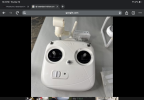
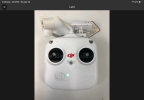
You mentioned in post #13 there is another part of the controller that says 'extender'. Does it look like either of these pics? If so, it is a controller for a DJI Phantom 2 Vision.

To be sure of your drone and r/c models, look for the model number on each and post back here.
 

Attachments

  • IMG_8568.png
    IMG_8568.png
    1.3 MB · Views: 44
  • IMG_8567.png
    IMG_8567.png
    1.5 MB · Views: 53
  • Like
Reactions: RodPad
Wow. They look alike...
So sorry wrong thread then, I'm assuming its a whole different way of connecting to this thing then..
Yep. Suggest you checkout or download the Phantom 2 Vision manual on line (it's free) from DJI. Also, check out msingers' site 'Phantomhelp.com' for more information. Just be sure to select the correct drone model from the dropdown menu.
 
  • Like
Reactions: RodPad

Members online

Forum statistics

Threads
143,857
Messages
1,473,707
Members
105,949
Latest member
muskansahu