Drone blocked and with flight restrictions.

Joined
Mar 16, 2026
Messages
13
Reaction score
0
Age
39
Okay, I'm new here and I'm enjoying reading about drones. I bought two Phantom 3 Std drones to use on weekends.

The first time I connected them to my phone, the drone and controller were updated with the latest firmware. A few weeks later, both drones malfunctioned. It seems the phone isn't receiving the drone's image. Sometimes they flew fine, but now they only fly in "safe" mode with a limited distance.

What I've already tried that didn't work:

- Reinstalling the firmware, version 1.09. It didn't work, and one drone froze during installation.
- I've tried reinstalling the app.
- Downgrading the firmware.
-format internal card


None of that worked. It's very strange to be able to fly the drone with a 50m limit.
 
The DJI Phantom 3 Standard firmware:
(v1.9.20, June 2017) focused on enhancing flight safety, updating No-Fly Zone management, and implementing stricter altitude/distance restrictions (30m height/50m distance) if not logged into the DJI GO app.

Key Updates & Features (v1.9.20 and prior):
  • Flight Safety: Updated No-Fly Zone management.

  • Safety Restriction: If not logged into the DJI GO app, flights are restricted to 30m in height and 50m in distance.
Try logging into the DjiGoapp and see if distance limits are removed.
**You may need to delete the app, and do a fresh install and restart.**
 
Last edited:
Olá, obrigado pela sua contribuição.

Tentei essa opção, mas a comunicação Wi-Fi não está funcionando. Nesse caso, não consigo resolver o problema dessa forma. Curiosamente, ambos os drones estão apresentando o mesmo problema simultaneamente.

Existe alguma maneira de reinstalar o firmware antigo através do cartão SD interno?

Via Safari translate:

Hello, thank you for your contribution.

I tried this option, but Wi-Fi communication is not working. In this case, I can't solve the problem this way. Interestingly, both drones are presenting the same problem simultaneously.

Is there any way to reinstall the old firmware through the internal SD card?
 
Last edited by a moderator:
Hello, captainmilehigh.

Yes, the phone connects to the drone's controller. It's an S10 model.

I have flight controls (up, down, left, and right). The controller's LED is red, and I don't have battery or satellite telemetry. The camera images aren't showing up either (this doesn't bother me).

I've read about this problem with other users; the solutions they presented don't seem to be working for me.
 
  • App Compatibility: The Phantom 3 Standard uses the DJI GO app (specifically, the "DJI GO" app, not DJI GO 4 or DJI Fly), which is compatible with Android 4.1.2 or later.
  • Performance: The S10 series runs Android 9 or higher, well above the minimum requirement, making it powerful enough to handle the app.
 
Understood.

Is there any reason why it only works for approximately 30 days? I used it with the S10/DJ Go V3.1. Same thing as now.

Do you think that by changing the phone I will be able to unlock the beginner mode?
 
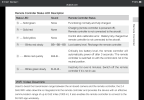
You mention that the RC Status light is red. Are you sure you are linked to the drone ? IMG_8640.png
IMG_8640.png
 
Hello.

Regarding the connection between the controller and the drone: I believe it's OK. The LED on the side of the drone is green (indicating connection) and I can control the drone within the safe flight range, even without visibility through the app. The app shows "disconnected" in the upper center of the screen.

I believe the red LED on the controller indicates some problem that I can't identify.
 
Do you have a second controller?

I think you could eliminate most of your issues if you could just get the GoApp connected to the Drone/RC.

Maybe try to borrow a phone or Ipad, download the GoApp, and then link this new device to the drone......and see if the issue still exists.
 
Last edited:
The app shows "disconnected" in the upper center of the screen.
Clean the USB-C port of your S10.
Most likely there is acummulated lint/dust on the bottom of the port preventing the cable plug from going in all the way. Deep enough for charging but not deep enough for data transfer.
To view this content we will need your consent to set third party cookies.
For more detailed information, see our cookies page.
 
  • Like
Reactions: crash1sttime
Which version did you roll the firmware back to that "didn't work?"

D
Hi Harley. I tried downgrading to version 1.08 and directly to version 1.07. I was unsuccessful in both cases. The installation process starts but doesn't finish. The generated text file indicates that the installation was not completed.

I haven't been able to do further testing due to lack of time, but I suspect the gray flat cable is faulty; I've already purchased a replacement and am waiting for it to arrive.
 
Clean the USB-C port of your S10.
Most likely there is acummulated lint/dust on the bottom of the port preventing the cable plug from going in all the way. Deep enough for charging but not deep enough for data transfer.
To view this content we will need your consent to set third party cookies.
For more detailed information, see our cookies page.
Hello Tribar.

The S10 communicates with the Phantom 3 STD controller via Wi-Fi. No cables are used.
 
Hi Harley. I tried downgrading to version 1.08 and directly to version 1.07. I was unsuccessful in both cases.
Ahhhh....I misunderstood. I thought that you were successful in rolling back the firmware, but that the rolled-back firmware didn't work.


I haven't been able to do further testing due to lack of time, but I suspect the gray flat cable is faulty; I've already purchased a replacement and am waiting for it to arrive.
That seems like a good next strategy to try.

D
 

Members online

Forum statistics

Threads
143,857
Messages
1,473,706
Members
105,948
Latest member
hcashmore11