- Joined
- Jan 12, 2026
- Messages
- 5
- Reaction score
- 12
- Age
- 39
Hello All,
I recently brought a DJI Phantom under the assumption that they worked without issue, how wrong i was.
so Im alittle stuck as to where to start in tring to get this operational again.
Problem 1: i tried flashing new firmware to the gimbal this fails every time i get a continuous DDDDDDD noise and i get.
========== 2014.01.01 00:00:16 remo-con disconnect======
Packet: P3X_FW_V01.11.0020.bin
Result: Failed.
Reboot the aircraft and try to upgrade the firmware again.
[00015745]========== remo-con disconnect. boot(15) ============
[00015817]Packet [C:\P3X_FW_V01.11.0020.bin] detected, card sn [0x6d4440e1].
[00015895]Packet upgrade start...
[00015973]Packet checking...
[00016052]Packet vlink 01.11.0020 <-> 01.11.0020.
[00016159]Done.
[00016238]Version checking[1]...
[00016356][03 06][00] v2.4.20.50 -> v2.4.20.50
[00016472][03 05][00] v34.2.0.9 -> v34.2.0.9
[00016561][04 00][00] v1.48.0.0 -> v1.48.0.0
[00016733][11 00][00] v1.8.0.0 -> v1.8.0.0
[00016891][11 01][00] v1.8.0.0 -> v2.0.0.33, firmware v1.8.0.0 not support.
[00016965][11 01][00] v1.8.0.0 -> v2.0.0.33
[00017162][12 00][00] v1.12.0.0 -> v1.12.0.0
[00017311][12 01][00] v1.12.0.0 -> v1.12.0.0
[00017473][12 02][00] v1.12.0.0 -> v1.12.0.0
[00017631][12 03][00] v1.12.0.0 -> v1.12.0.0
[00030204][15 00][00] device not detected.
[00030337][17 00][00] v1.1.1.7 -> v1.1.1.7
[00030505][17 01][00] v1.0.2.7 -> v1.0.2.7
[00030606][19 00][00] v1.0.8.96 -> v1.0.8.96
[00030679][01 00][00] v1.32.5432 -> v1.32.5432
[00030759][01 01][00] v1.32.5432 -> v1.32.5432
[00043332][08 00][00] device not detected.
[00043429][09 00][00] v4.1.0.0 -> v4.1.0.0
[00043500]Packet upgrade failed at version checking.
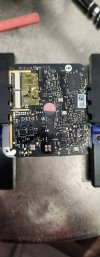
I have seen that people re-flash the chip by using the SPI pins on the gimbals main board am i correct in thinking this may help?
Problem 2: controller does not connect the the ipad i have this is a ipad pro on IOS 16 also have litchi an DJI Go, I get no option to connect to camera could this relate to the first issue?
Problem 3: don't seem to be any connection from drone to controller.
I recently brought a DJI Phantom under the assumption that they worked without issue, how wrong i was.
so Im alittle stuck as to where to start in tring to get this operational again.
Problem 1: i tried flashing new firmware to the gimbal this fails every time i get a continuous DDDDDDD noise and i get.
========== 2014.01.01 00:00:16 remo-con disconnect======
Packet: P3X_FW_V01.11.0020.bin
Result: Failed.
Reboot the aircraft and try to upgrade the firmware again.
[00015745]========== remo-con disconnect. boot(15) ============
[00015817]Packet [C:\P3X_FW_V01.11.0020.bin] detected, card sn [0x6d4440e1].
[00015895]Packet upgrade start...
[00015973]Packet checking...
[00016052]Packet vlink 01.11.0020 <-> 01.11.0020.
[00016159]Done.
[00016238]Version checking[1]...
[00016356][03 06][00] v2.4.20.50 -> v2.4.20.50
[00016472][03 05][00] v34.2.0.9 -> v34.2.0.9
[00016561][04 00][00] v1.48.0.0 -> v1.48.0.0
[00016733][11 00][00] v1.8.0.0 -> v1.8.0.0
[00016891][11 01][00] v1.8.0.0 -> v2.0.0.33, firmware v1.8.0.0 not support.
[00016965][11 01][00] v1.8.0.0 -> v2.0.0.33
[00017162][12 00][00] v1.12.0.0 -> v1.12.0.0
[00017311][12 01][00] v1.12.0.0 -> v1.12.0.0
[00017473][12 02][00] v1.12.0.0 -> v1.12.0.0
[00017631][12 03][00] v1.12.0.0 -> v1.12.0.0
[00030204][15 00][00] device not detected.
[00030337][17 00][00] v1.1.1.7 -> v1.1.1.7
[00030505][17 01][00] v1.0.2.7 -> v1.0.2.7
[00030606][19 00][00] v1.0.8.96 -> v1.0.8.96
[00030679][01 00][00] v1.32.5432 -> v1.32.5432
[00030759][01 01][00] v1.32.5432 -> v1.32.5432
[00043332][08 00][00] device not detected.
[00043429][09 00][00] v4.1.0.0 -> v4.1.0.0
[00043500]Packet upgrade failed at version checking.
I have seen that people re-flash the chip by using the SPI pins on the gimbals main board am i correct in thinking this may help?
Problem 2: controller does not connect the the ipad i have this is a ipad pro on IOS 16 also have litchi an DJI Go, I get no option to connect to camera could this relate to the first issue?
Problem 3: don't seem to be any connection from drone to controller.