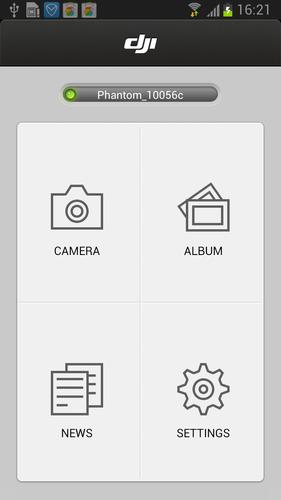
Phantom 2 vision plus app

Joined
Feb 22, 2022
Messages
7
Reaction score
0
Age
68
hi all, finally got my Phantom 2 board back, it works great again, the unit boots up and motors spin, my issue during the time the drone was down I did a phone upgrade, where can I find the app to use? the old DJI app does not seem to be on the play store

 
morning, this is for the mobile not a computer? I will try on the mobile later today, thanks
 
giving it another try, got the wifi board back and need the app, apk looks like it needs a credit card, is this correct? is there anywhere it can be downloaded without a credit card

installed the heyhey.net app but only DJI app is for the store
 
Last edited:
giving it another try, got the wifi board back and need the app, apk looks like it needs a credit card, is this correct? is there anywhere it can be downloaded without a credit card

installed the heyhey.net app but only DJI app is for the store


you can find all the software and apps for the Phantom 2 range of quads here, you will need to sideload the APK you can google how to do it

if you dont have a login for the app go to the dji website and create an account there

 
  • Like
Reactions: Mark The Droner
Hi. I have a dji phantom 2 vision+ plus that I haven't used in years. I tried it again yesterday and everything except the camera works perfectly. Any ideas how I get the camera back up and working? If it is a firmware update, I cannot seem to find that file anywhere. I cannot download the DJI app on my MacBook because it says it is incompatible.
 
Hi. I have a dji phantom 2 vision+ plus that I haven't used in years. I tried it again yesterday and everything except the camera works perfectly. Any ideas how I get the camera back up and working? If it is a firmware update, I cannot seem to find that file anywhere. I cannot download the DJI app on my MacBook because it says it is incompatible.

Have no fear for I am here, always happy to give this link out, dont forget to Sub

To view this content we will need your consent to set third party cookies.
For more detailed information, see our cookies page.

Also all the software is here including all the app versions that you need


If the repair is to complicated, I do the repair in the UK and i have a contact for a guy in the states who does it as well, send me an email at [email protected] for info
 
Have no fear for I am here, always happy to give this link out, dont forget to Sub

To view this content we will need your consent to set third party cookies.
For more detailed information, see our cookies page.

Also all the software is here including all the app versions that you need


If the repair is to complicated, I do the repair in the UK and i have a contact for a guy in the states who does it as well, send me an email at [email protected] for info
Thank you for this but it says it is for Windows. I have a MacBook Pro. Do you have that file by chance?
 
Ay ideas about eh ios file? Thanks!

Hi
Sorry but i have no experience in writing an IOS based program, ive always been a windows guy, only option is to find a windows pc or see if mac supports running a windows OS in some way here is a chat GPT solution

🪟 Option 1 – Parallels Desktop (Recommended)​


  • Download and install Parallels Desktop on your Mac.
  • Create a Windows 10 or 11 virtual machine inside Parallels.
  • Once Windows is up and running, install this VB app just like you would on a PC.
  • Plug in your USB-to-serial adapter — Parallels can automatically connect it to Windows.
  • Run the program — it’ll detect the COM port and work exactly as it does on a normal Windows machine.

✅ Easiest and most reliable method
💰 Parallels has a free trial, but the full version is paid.

Option 2 – VMware Fusion Player (Free for personal use)​


  • Download VMware Fusion Player from VMware’s website (you can get a free license key).
  • Install Windows using an ISO from Microsoft.
  • Set up your USB passthrough so the serial adapter is recognized.
  • Run the VB app inside Windows as usual.

💡 Completely free for personal use and works great once it’s set up.


Option 3 – UTM (Free and Apple Silicon compatible)​


  • Download UTM (open-source, free).
  • Create a Windows 10 or 11 ARM VM.
  • Pass through your USB adapter to Windows.
  • Launch the VB tool and it’ll work normally.

⚠️ A bit slower and less polished, but totally free and works on M1/M2 Macs.

 
Last edited:

Members online

No members online now.

Forum statistics

Threads
143,857
Messages
1,473,703
Members
105,946
Latest member
rheckbert3